

Your shopping cart is empty!
sales@dishtv.co.nz
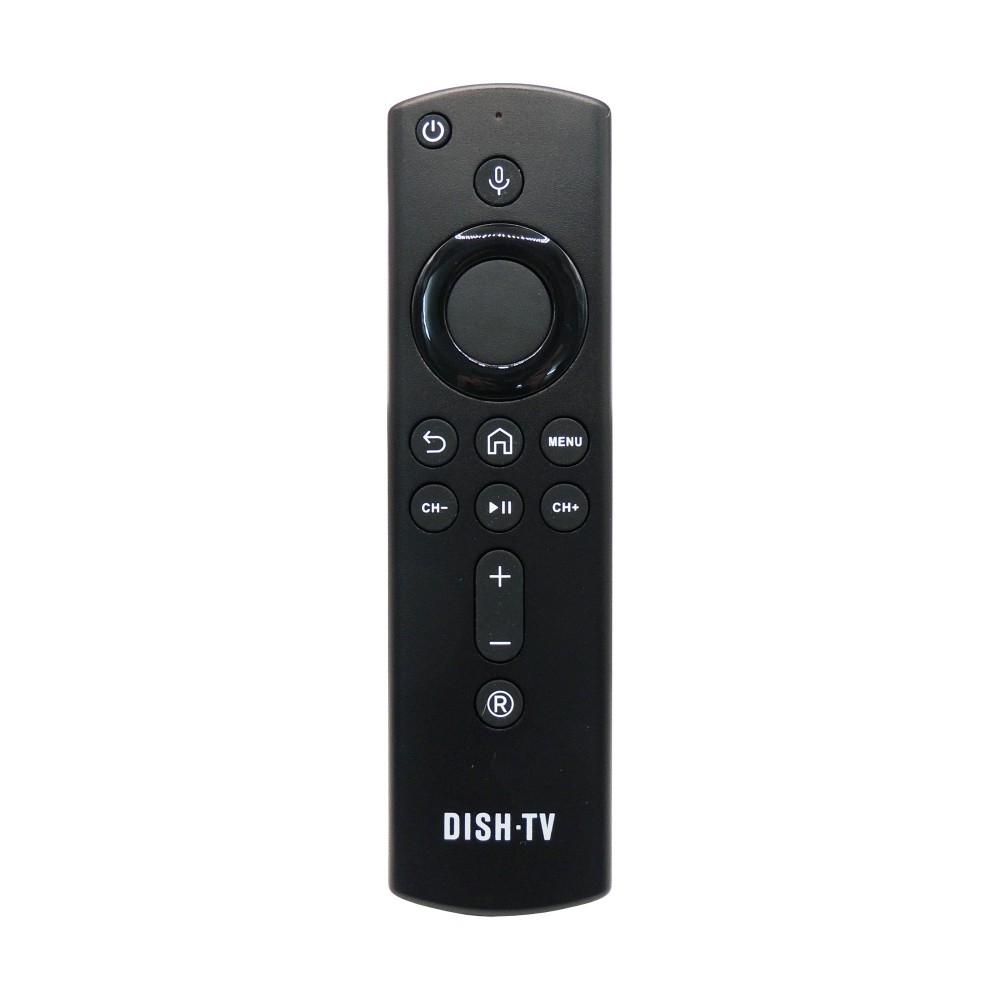
Remote Control for Freeview A2 Super Box (Bluetooth)

Availability: In Stock
Remote Control for Freeview A2 Super Box (Bluetooth)
Product Code: REMA2
$34.99
Ex GST: $30.43
Ex GST: $30.43
Below are the steps to add this Bluetooth Remote to your Dish TV A2.
- From Live TV, press the Home Button.
- Highlight the Settings Icon (COG in top-right) and press OK, to access the Settings Menu.
- In the Settings Menu, go down to “Remote & Accessories” and select "Add Accessory".
- The A2 should go into pairing mode, indicated on-screen by “Searching for Accessories”.
- Next, press and hold both the [ OK ] and [ VOL- ] on the Remote, to pair it with the A2.
Below are the steps to add this Bluetooth Remote to your Dish TV A2, without a Remote.
- Ensure both the A2 and the connected TV are powered ON.
- On the left-hand side of the A2, you’ll find a small pinhole located among the vents, inside this pinhole is a Button.
- Using a paperclip or similar tool, press and hold this Button for 3-5 seconds.
- The A2 should go into pairing mode, indicated on-screen by “Searching for Accessories”.
- Next, press and hold both the [ OK ] and [ VOL- ] on the Remote, to pair it with the A2.
This Remote Control (Bluetooth) is designed to be used on the Freeview Super Box (A2) Recorder.
If you require a spare or replacement Remote Control for this Recorder, please order this Remote Control.
Specifications:
- Dimensions - 148 x 42 x 17 mm
- Weight - 42 g
- Wireless - Bluetooth®
Power:
- Batteries - Requires 2x AAA Batteries




Dish TV Technologies © 2026